
Branded QR Code Generator
Turn your logo, artwork, or product image into a QR code that looks like your brand, not a generic black-and-white block with a small logo dropped in the middle.
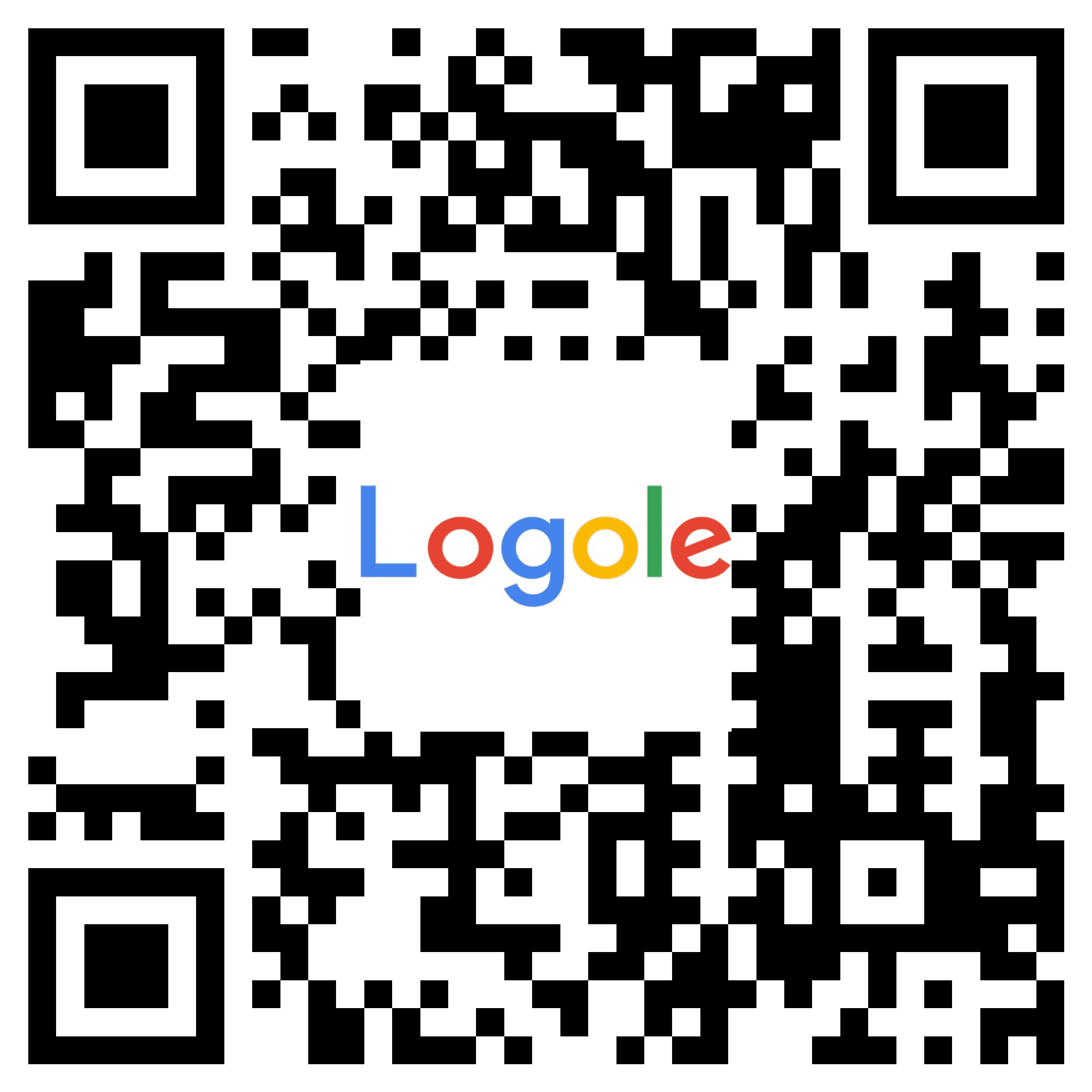
Standard QR generator
Qurbo
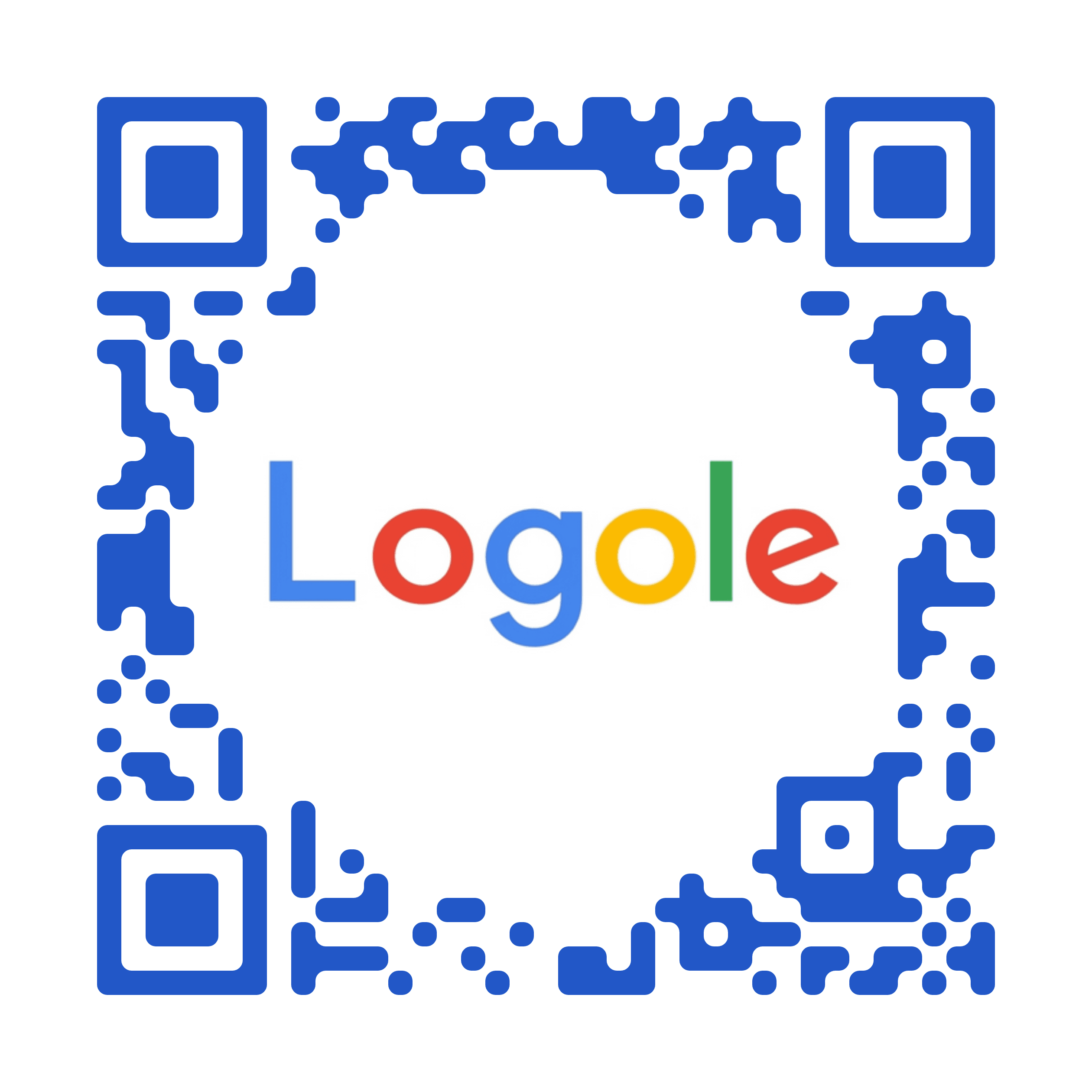
Same asset. Different result.
A standard QR generator usually keeps the QR dominant and gives the brand a small center overlay. Qurbo lets the visual stay recognizable, so the code looks designed in instead of pasted on top.
Qurbo builds the QR into the visual itself, so more of the original asset stays visible and the final result feels native to the campaign, packaging, or layout around it.
Depending on the asset, up to 70–80% of the original visual can remain present, with a clean neutral area between the image and the QR modules.
Also see:QR Code for Product PackagingPricing
Standard QR generator
Qurbo
Same asset. Different result.
A standard QR generator usually keeps the QR dominant and gives the brand a small center overlay. Qurbo lets the visual stay recognizable, so the code looks designed in instead of pasted on top.
Need only a plain static QR? Free QR Code Generator. For branded QR codes, editable destinations, and campaign-ready output, start with Qurbo.
What is a branded QR code?
A branded QR code is a QR code that reflects the identity of the brand behind it. Instead of starting with a generic QR and decorating it afterward, you start with the actual asset: a logo, artwork, mascot, product image, or campaign visual.
The result is more recognizable, more presentation-ready, and better suited for places where appearance matters just as much as function.
Why standard QR generators fall short
Most QR tools treat branding as an afterthought. They generate a standard QR first, then place a small logo on top of it. That may be enough for utility, but it often looks generic and gives the brand only a tiny amount of visible space.
Qurbo takes the opposite approach. The QR is built into the visual, not layered over it. More of the original image stays present, the layout feels cleaner, and the final QR is far easier to use in real creative work.
Why brands and agencies use Qurbo
Your asset stays recognizable
Keep the original logo, artwork, or product visual visible instead of shrinking it into a small badge.
You control how much of the visual stays present
Adjust the output so it remains brand-forward without turning into a generic QR block.
It fits real layouts
Use the final QR in packaging, posters, landing pages, product inserts, campaign artwork, and brand systems where a plain QR would look out of place.
Make any image work as a QR
Start with the asset you already use.
Upload a logo, product image, illustration, mascot, or campaign visual. Qurbo turns it into a branded QR that feels connected to the original instead of visually fighting it.
That makes it useful for brands and independent agencies that care about both scanability and presentation.
How it works
1
Upload the source image
Start with the visual you already have: logo, artwork, product shot, illustration, or campaign asset.
2
Adjust the branded output
Tune the result so the QR stays clear while preserving the identity of the original visual.
3
Export and launch
Place the final QR into your packaging, campaign, landing page, or brand system and use it like any other creative asset.
Common use cases
Brand campaigns
Make QR codes that feel native in paid creative, launch assets, posters, and social visuals.
Packaging and labels
Keep the pack design cleaner by using a QR that looks integrated instead of bolted on.
Product experiences
Link to onboarding, tutorials, special drops, offers, product stories, or post-purchase journeys.
Agency work
Show clients QR concepts that actually look like part of the brand.
FAQ
What can I turn into a branded QR code?
You can start from logos, artwork, mascots, product visuals, and other brand assets already used in your creative system.
How is this different from putting a logo in the middle of a QR code?
A standard logo-overlay QR is still mostly a generic QR with a small branded element on top. Qurbo builds the QR into the visual itself, so much more of the original asset remains visible.
Will a branded QR code still scan?
That is the goal. Qurbo is designed to keep the QR usable while making it substantially more brand-forward than standard overlay-style tools.
Where can I use a branded QR code?
Use it anywhere a plain QR would feel visually intrusive: packaging, product cards, inserts, posters, signage, landing pages, and campaign creative.
Is this only for designers?
No. If you already have the asset, you can turn it into a branded QR without manually rebuilding the design from scratch.
Create your first branded QR
Start with the asset you already have. End with a QR that actually looks like your brand.